
Booking Website
Trip search, cab selection, fare review, checkout and booking confirmation.
Customer-facing experienceLaunch your own branded cab booking website and manage enquiries, fares, vehicles, drivers, customer accounts and payments from a connected admin workspace.
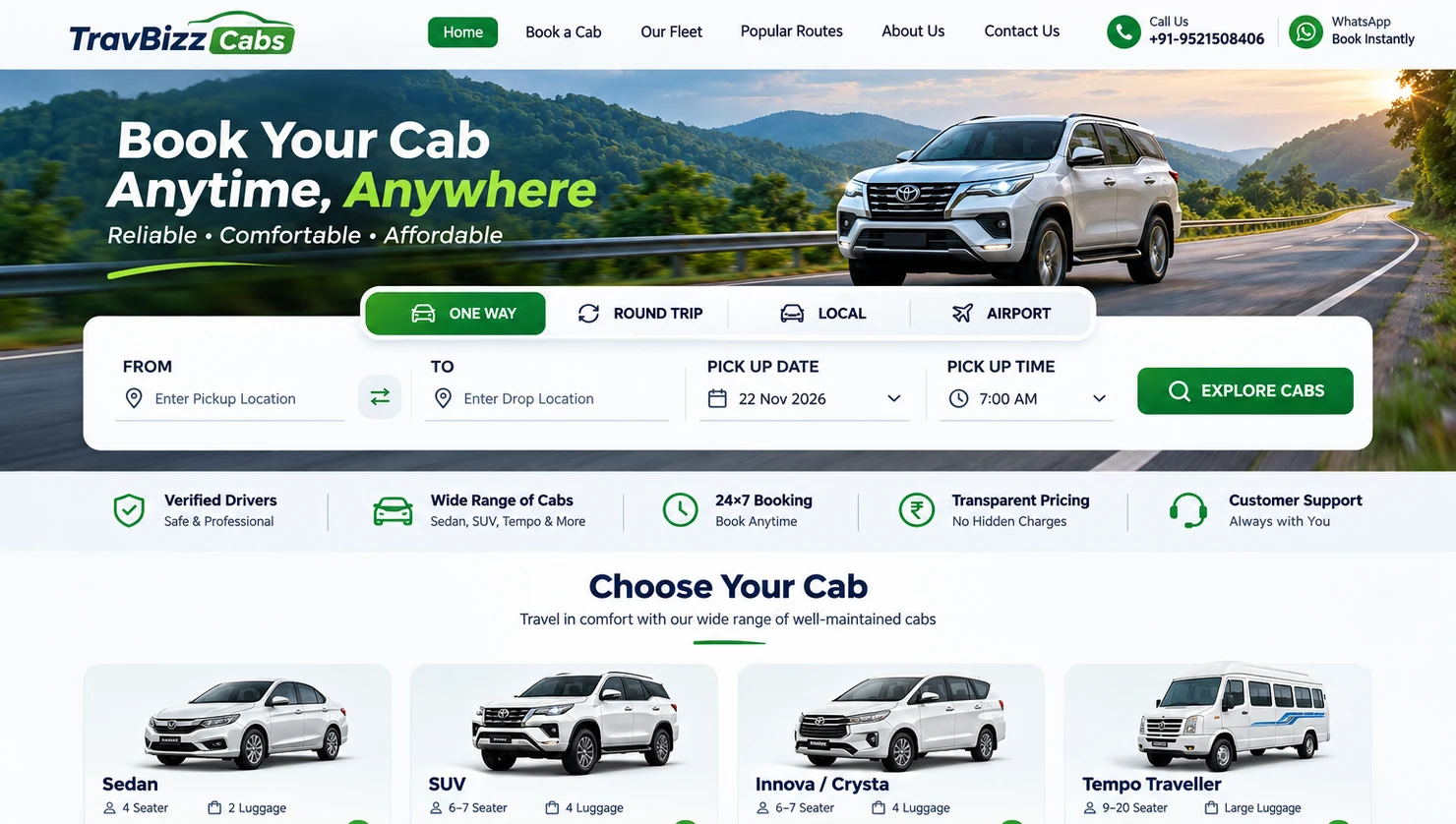
A customer-facing booking experience backed by the operational tools your team needs to run every trip.
Trip search, cab selection, fare review, checkout and booking confirmation.
Customer-facing experienceReview bookings, manage fares, assign duties and track revenue.
Operations controlIndividual cabs, categories, documents, availability and driver assignment.
Daily dispatch workspaceBooking history, vouchers, invoices, payments and account profile.
Self-service dashboardLet travellers enter their pickup and destination, choose a travel date and explore suitable cab options without calling your team for every enquiry.
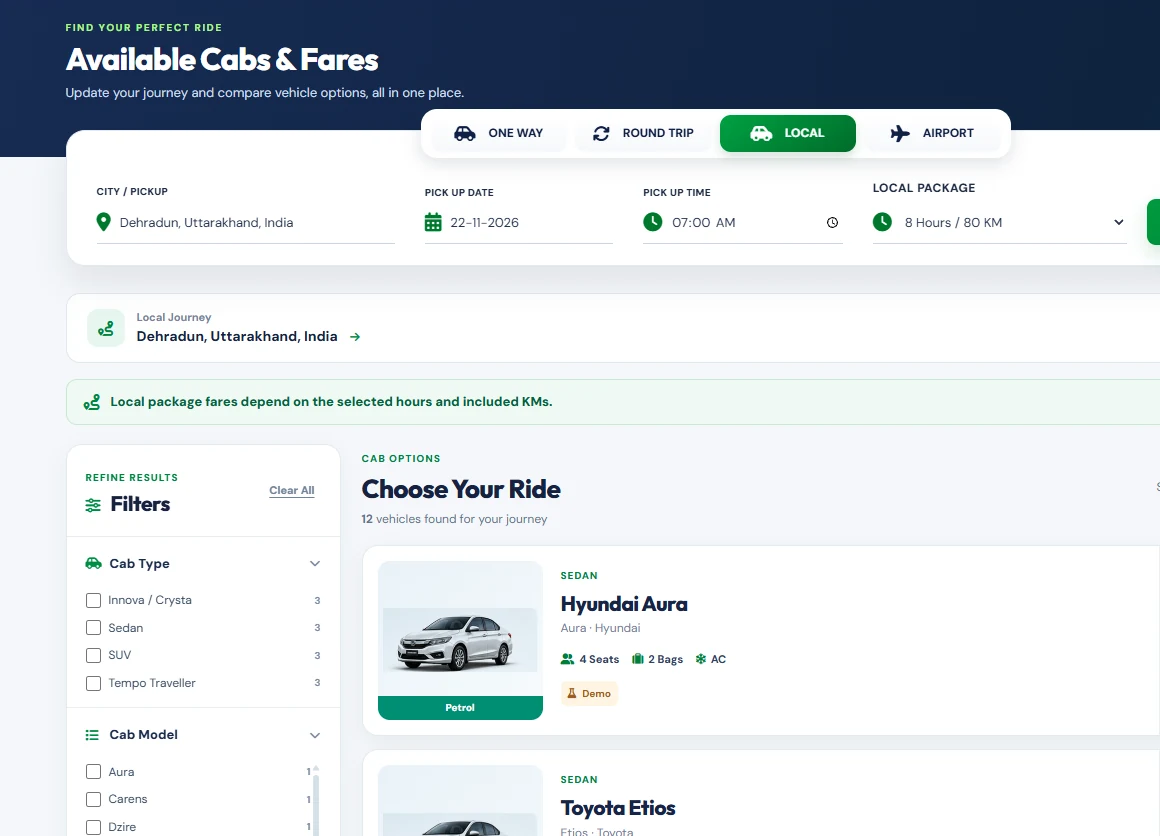
Configure the customer journey and day-to-day back office from a single professional platform.
One Way, Round Trip, hourly/local packages and Airport transfers.
Location autocomplete, road distance and travel-time estimates.
Per-kilometre, base fare, minimum distance, daily rates and extra charges.
Discount codes, offers and optional extras during checkout.
Registration, booking-linked accounts and OTP/password access.
Status tracking, manual bookings, notes, approvals and history.
Cab categories, vehicles, photos, capacity and registration information.
Driver profiles, availability, duty calendar and assigned vehicle details.
Booking-wise printable documents, receipts and payment balances.
Pay later, advance/full preferences, manual collections and proof review.
Configurable booking, account and driver notifications with message logs.
Booking and revenue reports, staff permissions and admin activity.
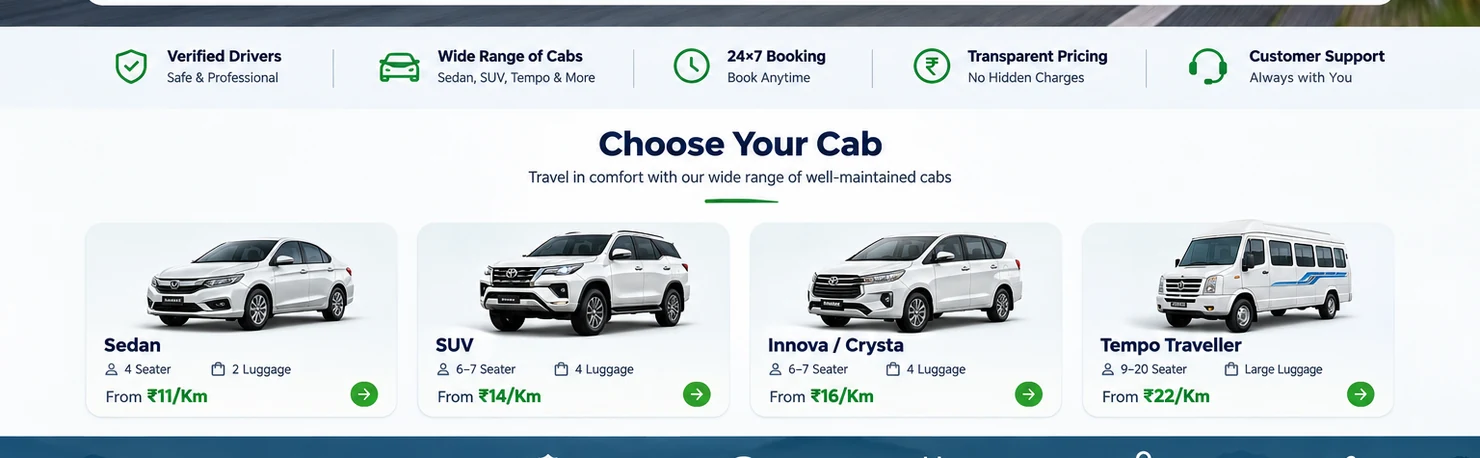
Present your fleet with photos, seating capacity and vehicle information—while your admin team controls category rates and individual vehicle details.
Bring your team, cabs and driver duties into a structured operational dashboard.
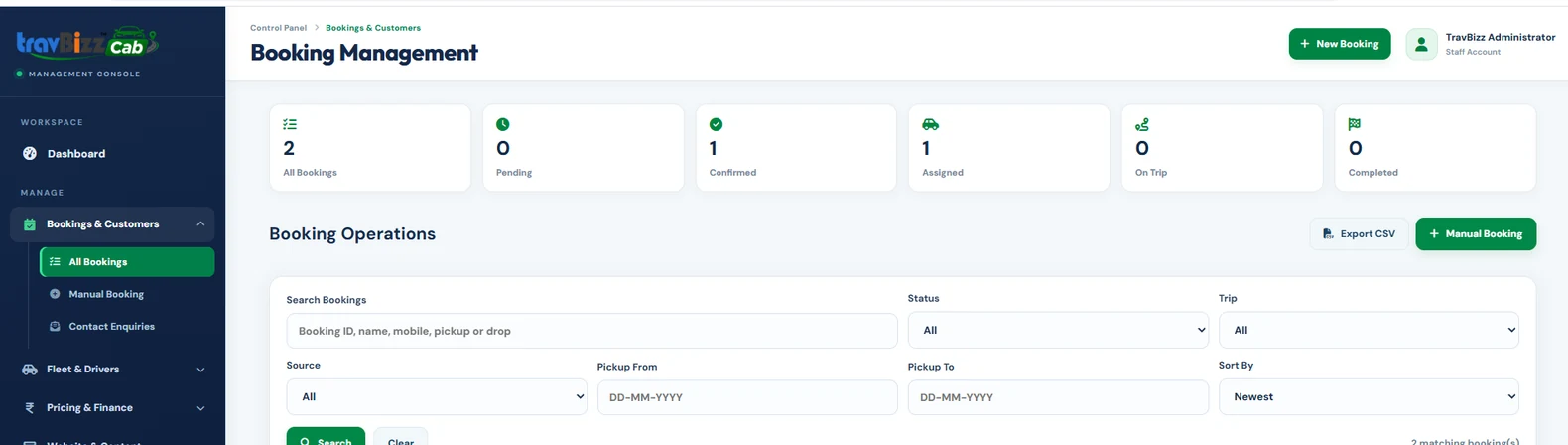
Search, filter, review, approve fares, update status and export booking records.
Assign or reassign vehicles and drivers, review duties and prevent overlapping bookings.
Follow up on confirmations, payments, driver notifications and customer requests.
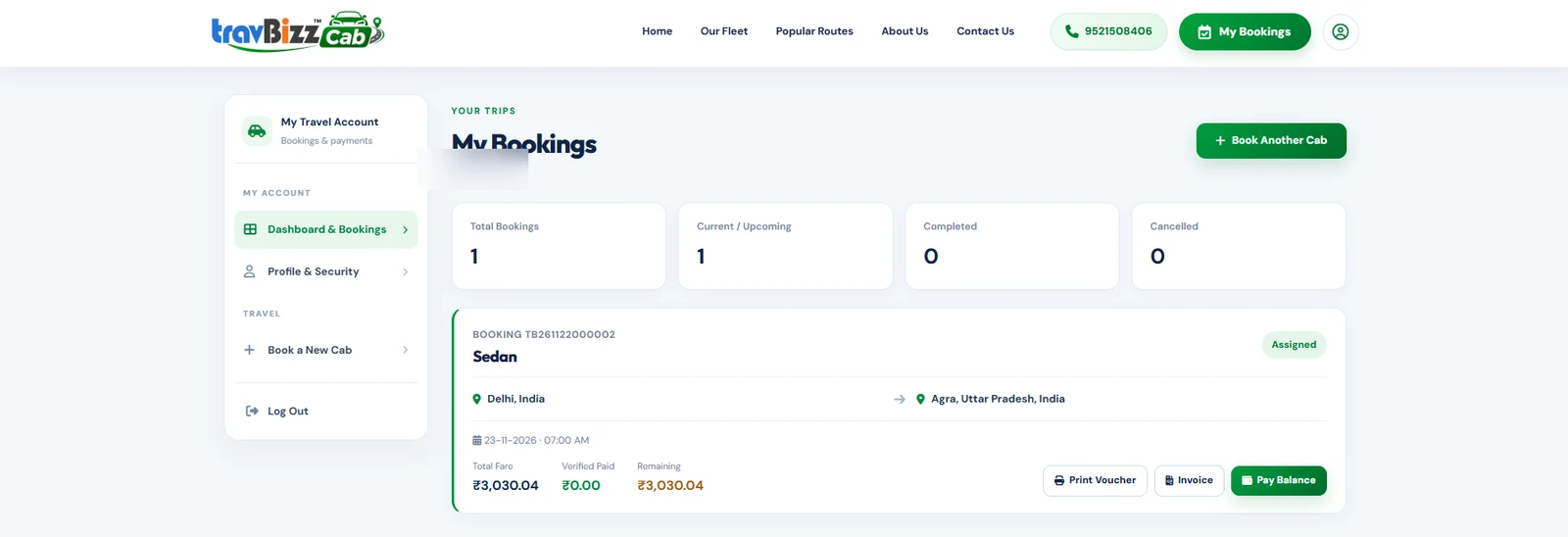
A clean account experience keeps customers informed and makes repeat cab requests easier.
Manage trip pricing and payment follow-up without relying on disconnected spreadsheets.
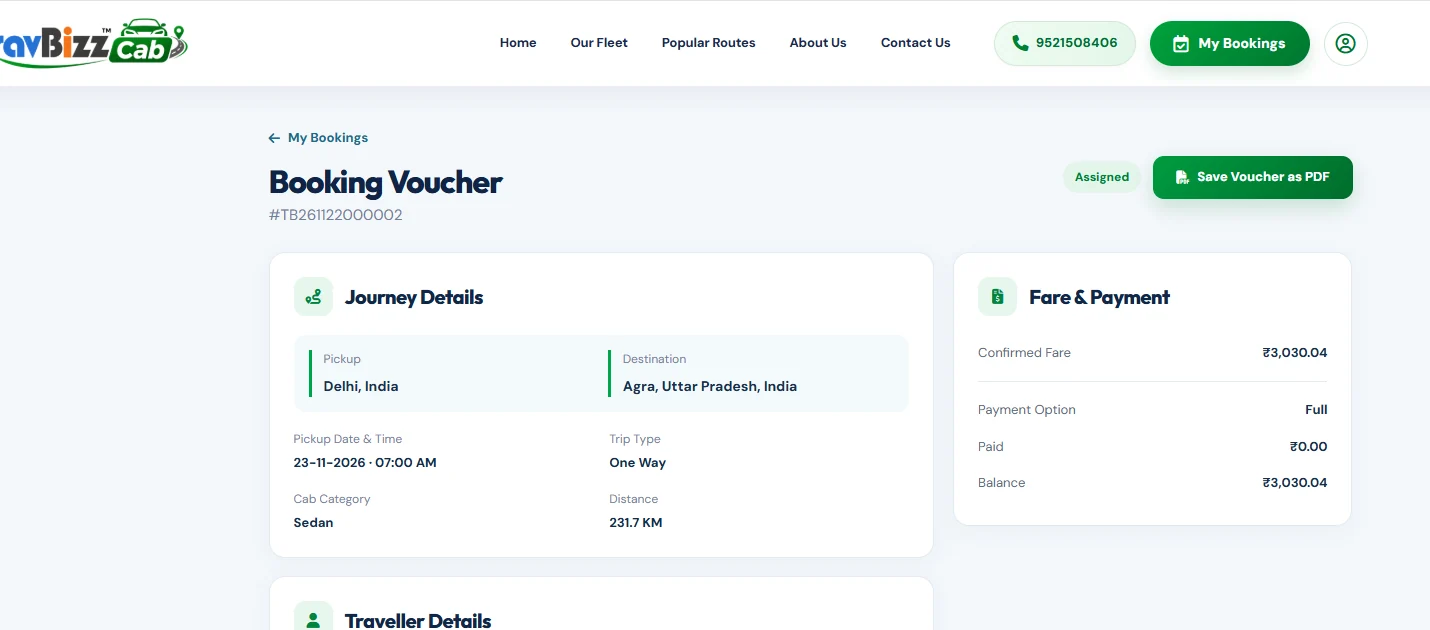
Booking vouchers, fare statements, invoices and payment receipts by booking.
Record cash, UPI or bank payments and review customer-uploaded proof.
Track verified paid amounts and pending balance against each booking.
Choose route, trip type and pickup details.
Compare available categories and fares.
Enter traveller details and submit request.
Confirm fare, cab and driver duty.
Update status and communicate details.
Track payments, receipts and history.
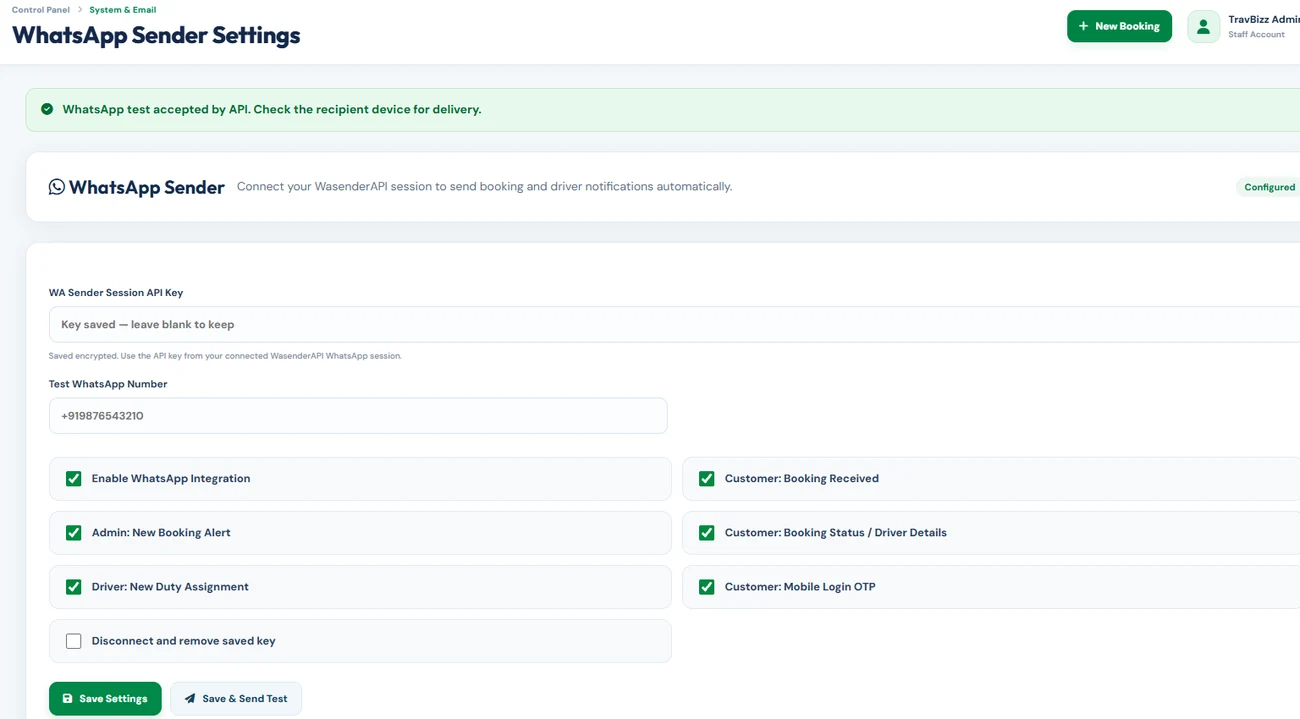
Use your configured SMTP email sender and WhatsApp provider to manage customer and driver notifications with a traceable history.
Whether you run an independent taxi service or coordinate multiple vehicles and drivers, TravBizz gives your team one place to manage the customer and operations experience.
Explore how the platform can fit your existing cab and fleet operations.
Yes. The website has configurable company branding, images, content, phone numbers, email, routes and legal pages.
Yes. The search flow has separate trip modes with their corresponding pickup, destination, date and package selections.
Yes. Admin can manage cab categories, individual vehicles, driver profiles, assignments and availability.
Yes. Registered customers can access their booking history and booking-wise documents, view verified payments and submit manual payment information.
The platform provides configurable WhatsApp Sender and SMTP settings, message logs and notification workflows. Sending requires a connected, active provider account.
Manual payment recording and payment-proof verification are supported. An online payment gateway can be scoped as an additional integration.
Tell us how you manage bookings today. We'll help you map the right setup for your brand and operations.