Travel CRM Automation: 10 Workflows Travel Agencies Should Automate in 2026
Discover 10 practical Travel CRM automation workflows that help travel agencies respond faster, reduce missed follow-ups, organise enquiries and save sales teams hours of repetitive work.
Why automation matters in a travel agency
Travel sales involves dozens of small repetitive actions: acknowledging a new enquiry, assigning it to a salesperson, scheduling follow-ups, updating stages, reminding the team about pending quotations and checking which customers have gone silent. When these actions depend completely on memory, even a capable team can lose valuable opportunities.
Travel CRM automation removes unnecessary manual work while keeping the salesperson in control of the customer relationship. The goal is not to replace human conversations. It is to make sure the right action happens at the right time so the team can spend more energy understanding requirements, creating better proposals and closing bookings.
1. Automatically capture every new travel enquiry
The first useful automation is simple: every incoming enquiry should become a structured lead instead of remaining only inside a personal inbox or chat. Website forms, campaign enquiries, manual entries and connected communication channels can feed the CRM so the business has one visible pipeline.
A consistent lead record should include the customer's contact details and the basic travel requirement wherever available. This prevents the team from retyping the same information and gives managers a reliable count of how many genuine enquiries are entering the business.
- Customer name and contact details
- Destination or route
- Expected travel dates
- Number of travellers
- Source of the enquiry
- Initial requirement or notes
2. Auto-assign leads to the right salesperson
New leads should not sit unowned while team members decide who will handle them. A CRM can use assignment rules to distribute enquiries by team, destination, product, shift or workload. Smaller agencies can use a simpler round-robin process so incoming opportunities are shared fairly.
Automatic assignment also creates accountability. The moment a lead enters the CRM, there is a clear owner responsible for the first response and the next action.
3. Create an instant first-response task
Speed matters when a traveller is comparing several agencies. As soon as a lead is created, the CRM can create a first-response task for the assigned salesperson. This is more dependable than expecting someone to keep watching several channels throughout the day.
The task should remain visible until it is completed, helping the team distinguish genuinely new enquiries from leads that have already received a response.
4. Schedule follow-ups automatically
Follow-up is one of the strongest use cases for Travel CRM automation. After a quotation is shared or a conversation is updated, the CRM can create the next follow-up reminder instead of relying on the salesperson to remember it later.
Automation should still respect the customer's context. A traveller who asks for a call tomorrow needs a different follow-up from a lead who has not replied for several days. The best workflow combines automatic reminders with the flexibility for the salesperson to change the date and purpose.
- Reminder after quotation is shared
- Reminder after itinerary revision
- Reminder for payment decision
- Reminder for documents or passenger details
- Overdue alert when a planned follow-up is missed
5. Move leads through stages based on real activity
A clean pipeline is useful only when stages reflect what is actually happening. Selected CRM actions can help keep stages updated. For example, sending a quotation may move a lead from Requirement Confirmed to Quotation Shared, while recording a confirmed payment can move it to Won or Booking Confirmed.
Not every stage change should be automatic. Important sales decisions still need human judgement. Automation works best for clear, repeatable transitions where the action has an obvious meaning.
6. Alert the team when a hot lead becomes inactive
A lead can look promising and still disappear from attention during a busy day. CRM automation can flag opportunities that were previously active but have had no recent follow-up. This gives sales managers a chance to intervene before the customer books elsewhere.
The same idea can be used for high-value enquiries, near travel dates or leads that have already received multiple revisions. Instead of treating every open lead equally, the CRM can surface the opportunities where delay is most expensive.
7. Automate quotation and itinerary follow-up checks
After a quotation or itinerary is shared, the next step should not be uncertain. A workflow can automatically create a review task and remind the salesperson to confirm whether the customer has questions, needs changes or is ready to proceed.
This is especially helpful for customised holidays where several versions may be discussed. The CRM keeps the lead active until the team records the customer's decision instead of allowing the conversation to disappear inside old messages.
8. Trigger payment and booking reminders
Once the customer agrees to proceed, the workflow changes from pure sales follow-up to booking completion. The CRM can create reminders for pending advance payments, balance payments, passenger information or other actions required before confirmation.
Structured reminders reduce the chance of a confirmed customer becoming delayed because an operational step was missed. They also give managers a clearer view of bookings that are waiting for customer action.
9. Re-engage leads that did not convert
A lost lead is not always permanently lost. Some travellers postpone their plans, change dates or decide to revisit the destination later. Instead of deleting these enquiries, the CRM can organise them by lost reason and create a future re-engagement list where appropriate.
This should be done carefully and with relevant communication, not repeated generic messages. A well-maintained CRM gives the agency enough context to contact the customer only when there is a sensible reason.
10. Send managers a daily action view instead of asking for manual reports
Salespeople should not spend the end of every day preparing separate spreadsheets just to explain what happened. If the CRM records lead ownership, activities, stages and next follow-ups, management can use the system itself as the live report.
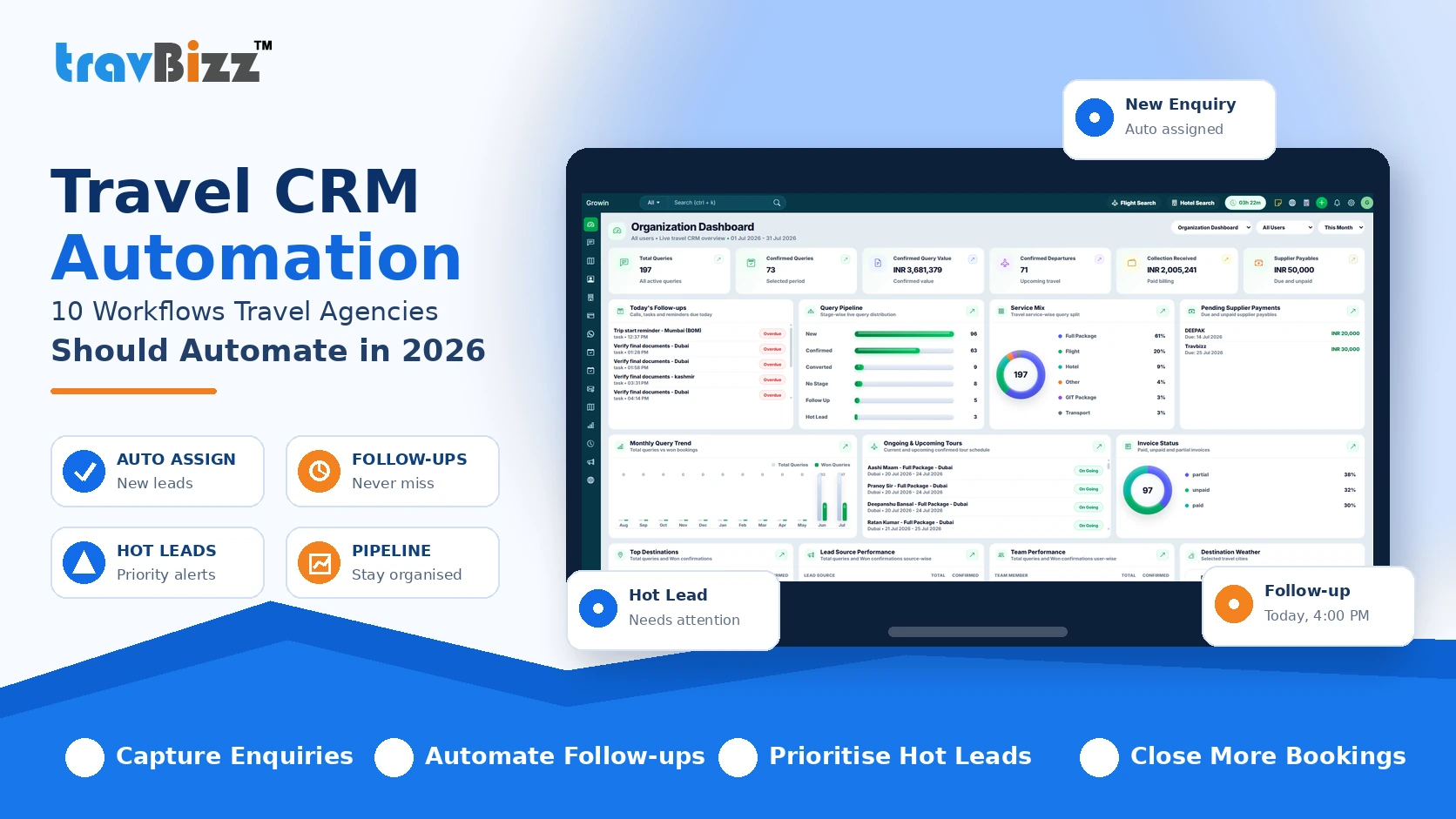
A daily dashboard can surface new enquiries, overdue follow-ups, leads without a next action, quotations pending decision and bookings won. That allows managers to coach the team using real activity instead of collecting status manually.
- New enquiries received today
- Unassigned or untouched leads
- Overdue follow-ups
- Hot leads without recent activity
- Quotations awaiting response
- Bookings confirmed and lost leads
Where Travel CRM automation should stop
Automation is valuable, but travel sales is still a relationship-driven process. Complex itinerary discussions, negotiation, customer empathy and recommendation quality should not be reduced to rigid automatic messages. Customers can tell when communication feels disconnected from their actual requirement.
Use automation to organise work, create reminders, move information and surface priorities. Keep the salesperson responsible for conversations that require judgement. This balance gives the team efficiency without sacrificing service quality.
How TravBizz can support an automated travel sales workflow
TravBizz Travel CRM is built around travel-agency sales workflows, including enquiry management, lead ownership, follow-ups, customer records and pipeline visibility. By bringing these activities into one system, agencies can reduce repetitive coordination and build a more consistent lead-to-booking process.
The biggest benefit of automation is not simply doing more actions. It is making sure important actions are not forgotten. When the CRM becomes the central place for enquiries and follow-ups, the team can respond faster and management gets a clearer picture of sales activity.
Final takeaway
Travel CRM automation works best when it removes repetitive work from a clearly defined sales process. Start with lead capture, assignment and follow-up reminders, then add automation for pipeline updates, inactive hot leads, quotation follow-ups and payment-related tasks.
For most travel agencies, the objective should be straightforward: fewer missed enquiries, faster response, better follow-up discipline and more time for the team to actually sell. A well-designed CRM workflow can make each of those improvements measurable.
Put these ideas into practice with TravBizz
Connect your sales, itinerary, operations and customer workflows with travel technology designed for agencies.
Frequently asked questions
What is Travel CRM automation?
Travel CRM automation uses predefined rules and workflows to perform repetitive CRM actions such as lead capture, assignment, follow-up reminders, task creation and selected pipeline updates for a travel agency.
Which travel agency tasks should be automated first?
A good starting point is new enquiry capture, lead assignment, first-response tasks, follow-up reminders and overdue alerts because these directly reduce missed sales activity.
Can CRM automation send follow-up reminders for travel enquiries?
Yes. A travel CRM can create scheduled follow-up tasks or reminders after actions such as receiving an enquiry, sharing a quotation or waiting for a customer decision, depending on the CRM workflow configured.
Does automation replace travel sales staff?
No. Automation is most useful for repetitive coordination and reminders. Sales conversations, itinerary recommendations, negotiation and customer relationship management still require human judgement.
How does Travel CRM automation improve conversion?
It can improve conversion by helping teams respond faster, prevent missed follow-ups, keep lead stages organised and surface high-priority opportunities that need attention.
Can small travel agencies use CRM automation?
Yes. Small agencies can benefit from simple automations such as automatic lead assignment and follow-up reminders without building a complicated workflow.